Physical vs. Virtual Credit Cards: What Are the Real Differences and Which One Should You Use?

In today’s digital-first world, managing your money happens almost entirely online. From paying bills through mobile apps to shopping on e-commerce platforms, the way we handle transactions has completely transformed. When it comes to credit cards, this evolution has given us two distinct options: the traditional physical credit card that lives in your leather wallet, and the modern virtual credit card that exists purely as a set of digital numbers on your smartphone or computer screen.
If you have ever wondered about the practical differences between these two payment methods, you are not alone. Many consumers ask: Are virtual cards safe? Can I use a virtual card at a physical grocery store? Do both options build my credit score the same way?
This comprehensive guide breaks down everything you need to know about physical versus virtual credit cards. We will explore how each option works, their unique pros and cons, security features, and how to choose the right one for your everyday financial habits.
Understanding the Basics: What Is a Physical Credit Card?
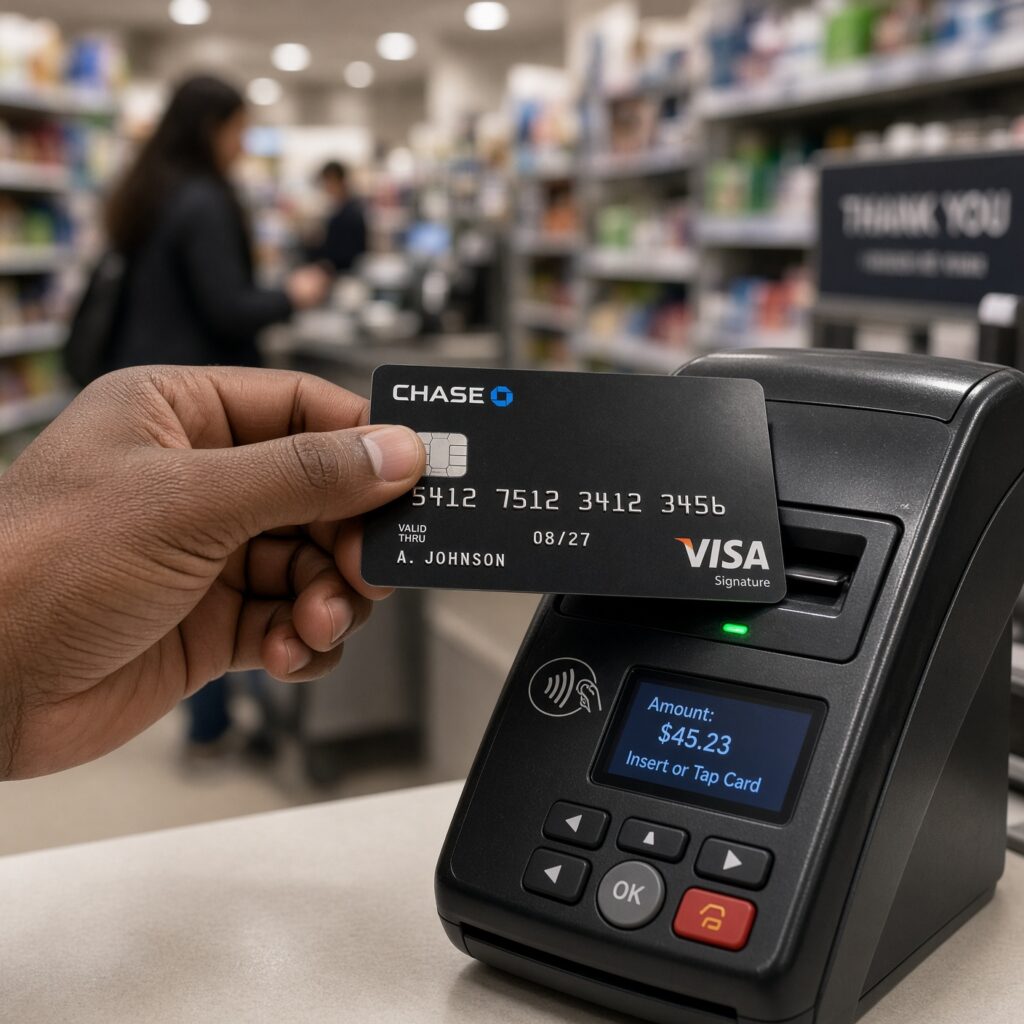
A physical credit card is the traditional payment tool that most people have used for decades. Made of plastic, metal, or even eco-friendly materials, it features your name, a 16-digit card number, an expiration date, and a 3-digit CVV security code printed directly on the surface. It also contains an embedded EMV computer chip and a contactless payment antenna for tap-to-pay transactions.
How Physical Credit Cards Work
When you make an in-person purchase at a retail store, restaurant, or gas station, you interact with the card directly. You either insert the chip into a card reader, tap the card against the terminal, or swipe the magnetic stripe. For online purchases, you manually type the long card number, expiration date, and CVV code into the online checkout form.
Key Advantages of Physical Cards
- Universal Acceptance: You can use a physical card virtually anywhere in the world where credit cards are accepted, including traditional brick-and-mortar stores, ATMs, and remote areas with limited internet connectivity.
- No Battery or Device Required: Unlike a smartphone, a physical card never runs out of battery power, requires software updates, or depends on a cellular data connection to function.
- Tangible Control: Having a physical card in your hand gives many users a psychological sense of control over their spending, making it easier to track physical possession.
Common Drawbacks of Physical Cards
- Risk of Physical Theft or Loss: If you misplace your wallet or have it stolen, someone else can potentially use your physical card for unauthorized purchases until you freeze or cancel it.
- Susceptibility to Skimming: Fraudsters can attach illegal card skimmers to gas station pumps or ATMs to steal your magnetic stripe and chip data when you swipe or insert your card.
- Vulnerability to Card-Not-Present Fraud: If you enter your physical card details on an unsecured website, those numbers can be compromised and used fraudulently online.
Decoding the Modern Alternative: What Is a Virtual Credit Card?
A virtual credit card (often abbreviated as VCC) is a temporary, digitally generated replica or extension of your primary credit card. It features its own unique 16-digit card number, a distinct expiration date, and a separate CVV code. However, it does not have a physical counterpart that you can hold in your hand.
Virtual cards are typically generated instantly through your credit card issuer’s mobile banking app, a desktop web portal, or a dedicated browser extension.
How Virtual Credit Cards Work
When you generate a virtual card, it remains securely linked to your main credit card account. Any purchase you make using the virtual card number is automatically charged to your primary credit card statement and accumulates rewards in the exact same way.
There are generally two main types of virtual cards:
- Single-Use (Burner) Cards: These cards automatically deactivate immediately after a single transaction is completed. Even if a merchant suffers a massive data breach later, hackers cannot reuse that card number.
- Merchant-Locked (Subscription) Cards: These cards lock to the first merchant you use them with. They are ideal for monthly recurring subscriptions (like streaming services or gym memberships) because you can set spending limits, and the card will reject charges from any other merchant.
Key Advantages of Virtual Cards
- Maximum Online Security: Because the numbers are often temporary or locked to a specific merchant, your real credit card number remains completely hidden from online stores.
- Protection Against Data Breaches: If an e-commerce website where you saved a virtual card gets hacked, the stolen numbers are useless to cybercriminals, preventing cascading financial fraud.
- Easy Subscription Management: You can set strict monthly spending limits on virtual cards, ensuring that subscription services never charge you hidden fees or unexpected price increases without your explicit authorization.
- Instant Creation and Disposal: You can generate a brand-new virtual card in seconds, use it for a one-time online purchase, and delete or lock it immediately afterward.
Common Drawbacks of Virtual Cards
- Limited In-Store Utility: While you can easily add virtual cards to digital wallets like Apple Pay or Google Pay to tap-to-pay at physical retail stores, you cannot use them at traditional ATMs to withdraw cash.
- Digital Dependency: Creating and managing virtual cards requires a smartphone, computer, reliable internet access, and active digital banking apps.
- Complications with Returns and Refunds: If you buy an item online using a single-use virtual card and later need to return it, processing the refund can occasionally take slightly longer or require manual customer service intervention if the card has already expired or self-destructed.
Physical vs. Virtual Credit Cards: A Direct Feature Comparison
To help you understand how these two payment methods stack up against each other across essential categories, review the detailed comparison table below:
| Feature / Category | Physical Credit Card | Virtual Credit Card |
| Primary Form Factor | Plastic or metal card kept in a physical wallet. | Digital number set generated via app or browser. |
| Ideal Use Case | In-store shopping, dining, travel, and cash withdrawals. | Online shopping, subscriptions, and untrusted websites. |
| Online Security | Moderate (vulnerable if numbers are saved on breached sites). | Very High (isolated numbers, burner options, and spending limits). |
| Physical Security | Low to Moderate (can be lost, stolen, or skimmed at ATMs). | Maximum (cannot be physically lost, stolen, or skimmed). |
| ATM Compatibility | Yes, allows cash withdrawals and PIN-based banking. | No, cannot be used at traditional cash ATMs. |
| In-Store Contactless Use | Yes, via physical tap-to-pay chip technology. | Yes, when added to Apple Pay, Google Pay, or Samsung Pay. |
| Credit Building Impact | Direct (reports credit history and utilization directly). | Indirect (charges flow through to the primary linked account). |
Security Showdown: Which Option Keeps Your Money Safer?
Security is the primary reason consumers explore virtual credit cards. To evaluate financial safety accurately, we must examine how fraud occurs in both physical and digital environments.
Physical Card Fraud Risks
Physical cards face threats rooted in the physical world. Card skimming occurs when criminals install hidden electronic devices over card slots at gas pumps or retail checkouts to copy your magnetic stripe data. Furthermore, pickpocketing, lost wallets, and mail theft remain persistent risks. If someone steals your physical card, they can go on a shopping spree until you report the loss.
Virtual Card Security Mechanisms
Virtual cards eliminate physical theft risks entirely. Because there is no plastic card to lose or steal, pickpockets cannot access your funds. Furthermore, virtual cards protect you against phishing scams and data breaches.
Imagine you make a purchase on a newly launched online store that turns out to be insecure or fraudulent. If you used a single-use virtual card, the cybercriminal cannot charge your card again because the number instantly self-destructs after the first transaction. Even if you used a merchant-locked card, the criminal cannot use that card number on any other website. This compartmentalization of your financial data creates an impenetrable fortress around your primary bank account.
Everyday Usability: Where Can You Use Each Card?
While virtual cards dominate online spaces, physical cards still hold distinct advantages in everyday physical scenarios.
Shopping Online
Virtual cards are the absolute gold standard for e-commerce. Whether you are booking a flight on an unfamiliar travel website, signing up for a free trial that requires a credit card, or shopping on global marketplaces, virtual cards ensure your real credit card details never touch potentially compromised databases.
Shopping In-Store
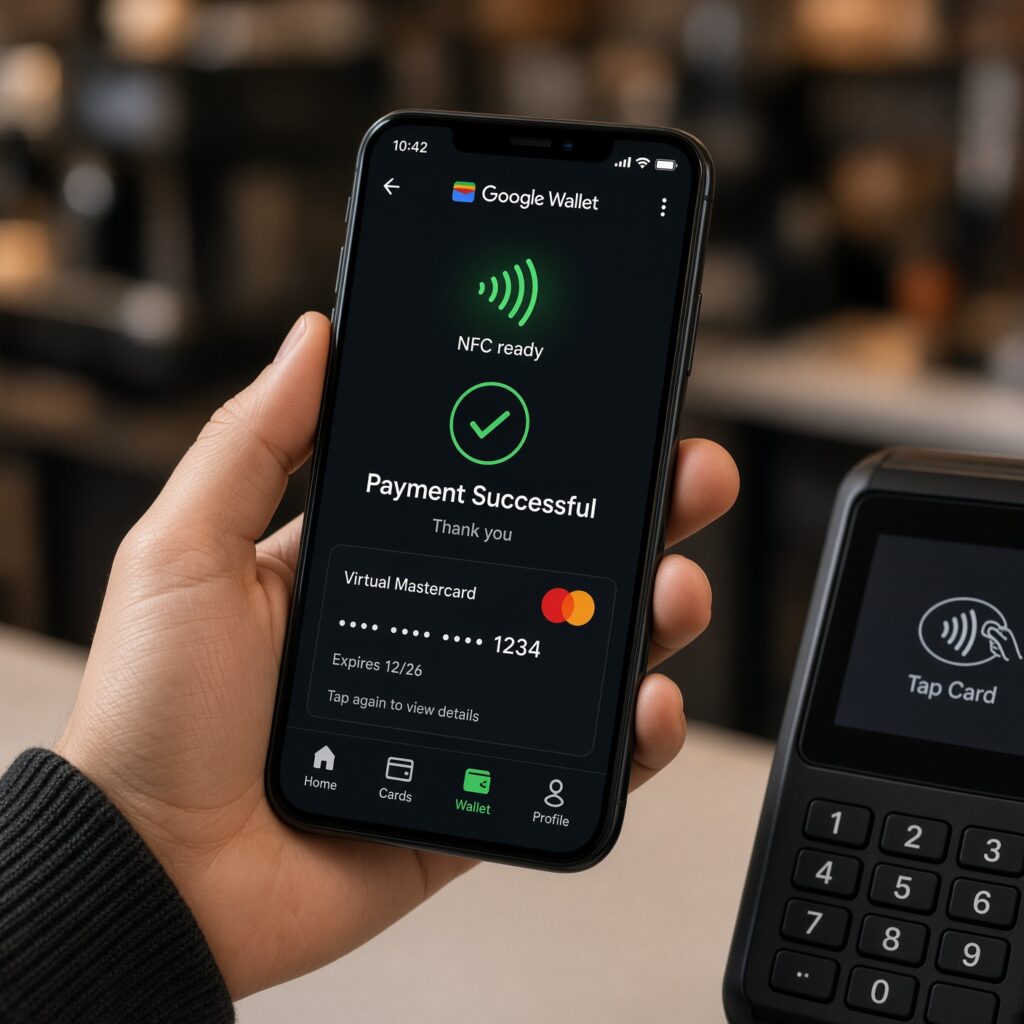
If you walk into a grocery store, clothing boutique, or coffee shop, you can technically use a virtual card if you have added it to your smartphone’s digital wallet (such as Apple Wallet or Google Wallet). By holding your phone near the payment terminal, the digital wallet transmits a tokenized version of your virtual card securely. However, if your phone dies, or if the merchant does not accept contactless payments, a physical backup card becomes essential.
Traveling and Emergencies
When traveling domestically or internationally, relying solely on virtual cards can be risky. You may encounter rental car agencies, automated toll booths, parking garages, or foreign merchants that require a physical card swipe or chip insertion. Additionally, if you need emergency cash, physical cards are mandatory for ATM withdrawals. Therefore, experienced travelers always carry at least one reliable physical credit card alongside their digital setups.
Impact on Credit Scores and Financial Health
A common misconception among consumers is that using virtual credit cards might negatively affect their credit score or credit-building journey. Let us clear up this myth.
Do Virtual Cards Build Credit?
Yes, absolutely. Because a virtual card is simply an extension of your primary credit account, every transaction you make using a virtual card contributes to your overall credit utilization ratio, payment history, and credit profile. As long as you pay your monthly statement balances on time, using virtual cards helps build and maintain a strong credit score just as effectively as using a physical card.
Managing Spending Habits
Both card types influence your psychology and spending habits differently:
- Physical Cards offer visual and tactile feedback. Handing over cash or swiping a physical card makes the act of spending feel real, which can curb impulse buying for some individuals.
- Virtual Cards allow you to implement strict budgeting controls. By setting hard monthly spending caps on specific virtual cards (such as capping your dining-out virtual card at $200 per month), you prevent overspending before it even happens.
How to Get Started with Virtual Credit Cards
If you currently use a standard physical credit card and want to start taking advantage of virtual cards, the process is straightforward.
Step 1: Check Your Issuer’s App
Many major credit card issuers (such as Capital One, Citi, and American Express) and modern digital fintech platforms (like Revolut, Privacy.com, or PayPal) offer built-in virtual card generation features directly within their mobile apps or desktop dashboards. Log into your account and look for options labeled “Virtual Card,” “Card Manager,” or “Create Virtual Number.”
Step 2: Install Browser Extensions
If your primary bank does not offer native virtual cards, you can use reputable third-party services. These platforms connect securely to your bank account and provide browser extensions that automatically generate virtual card numbers whenever you click the checkout button on an online shopping site.
Step 3: Assign Purpose-Specific Rules
When generating a virtual card, assign it a specific label—such as “Monthly Streaming Subscriptions,” “Amazon Shopping,” or “Travel Booking.” Set custom expiration dates and spending limits to maintain absolute financial control.
Summary: Which One Should You Choose?
The debate between physical and virtual credit cards is not an “either-or” proposition. In modern personal finance, the smartest strategy is to use both in tandem, leveraging the unique strengths of each format:
- Use Virtual Credit Cards for all online shopping, recurring monthly subscriptions, untrusted websites, and mobile wallet payments to maximize your cybersecurity and protect your primary bank details from data breaches.
- Use Physical Credit Cards as your dependable backup for in-store retail shopping, international travel, ATM cash withdrawals, and situations where digital devices are unavailable or unsupported.
By combining the timeless reliability of your physical wallet with the advanced digital protection of virtual card numbers, you can navigate the modern financial landscape with total confidence, security, and peace of mind.