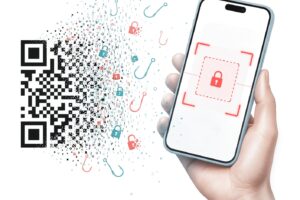
10 Online Safety Tips Everyone Should Know

In today’s hyper-connected world, our lives are largely digital. From managing bank accounts and shopping online to talking with friends on social media and working remotely, we spend a massive portion of our day online. While the internet brings incredible convenience, education, and entertainment, it also introduces unique risks. Cybercriminals are constantly finding new ways to exploit vulnerabilities, steal personal data, and gain unauthorized access to financial accounts.
Protecting yourself online does not require you to be a computer science expert or an ethical hacker. Good digital hygiene is built on consistent, simple habits. By adopting a proactive security mindset, you can drastically reduce your chances of becoming a victim of cybercrime.
This comprehensive guide covers ten essential online safety tips designed for everyday internet users. Each section breaks down complex security concepts into clear, actionable steps that anyone can follow to secure their digital footprint.
1. Master the Art of Strong, Unique Passwords
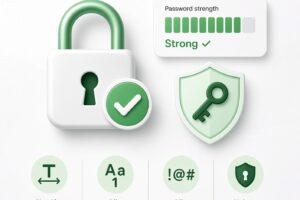
Your password is the front door to your digital life. If a hacker cracks or steals your password, they can potentially access your email, banking apps, social media accounts, and professional profiles all at once. Despite this, millions of people still use weak passwords like “123456,” “password,” or simple birthdays that can be guessed in seconds or cracked using automated software.
Why Reuse and Weak Passwords Are Dangerous
When you use the same password across multiple websites, you create a domino effect. If a minor, unsecured website you use suffers a data breach, hackers will immediately take your email and reused password and test them on major platforms like your primary email, PayPal, or banking portal. This technique, known as credential stuffing, allows attackers to compromise accounts across the web within minutes.
How to Create and Manage Passwords
- Length Over Complexity: A long passphrase consisting of four or five random words (e.g.,
correct-horse-battery-staple) is exponentially harder to crack than a short, complex mix of symbols and numbers likeP@ssw0rd!. - Never Reuse Passwords: Every single account you own must have a completely unique password.
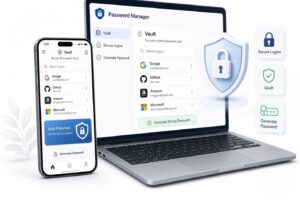
- Use a Password Manager: Remembering dozens of unique passwords is impossible for the human brain. Secure password managers (such as 1Password, Bitwarden, or Dashlane) securely store all your credentials in an encrypted vault. You only need to remember one master password, and the manager autofills your details safely.
2. Enable Multi-Factor Authentication (MFA) Everywhere
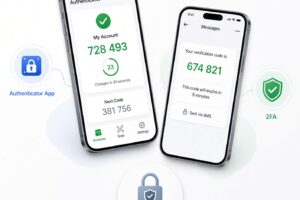
Even the strongest passwords can occasionally be compromised through sophisticated phishing attacks or massive corporate data breaches. This is why Multi-Factor Authentication (MFA)—often referred to as Two-Factor Authentication (2FA)—is arguably the single most effective security control you can implement.
Understanding the Layers of MFA
MFA requires you to provide two or more distinct verification factors to prove your identity before gaining access to an account. These factors typically fall into three categories:
- Something you know: Your password or PIN.
- Something you have: Your smartphone, a hardware security key (like a YubiKey), or an authenticator app.
- Something you are: Biometric data, such as a fingerprint or facial recognition scan.
Best Practices for MFA
- Prioritize Authenticator Apps: Whenever possible, use authenticator apps (such as Google Authenticator, Microsoft Authenticator, or Authy) rather than SMS text messages. SMS codes can be intercepted through a malicious technique called SIM swapping, where scammers trick your mobile carrier into transferring your phone number to a device they control.
- Turn It On For Everything: Enable MFA on your email accounts, banking portals, cloud storage, password managers, and social media networks immediately.
3. Spot and Outsmart Phishing Scams
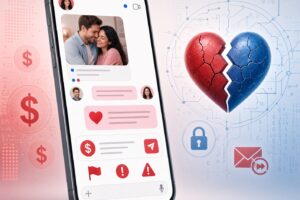
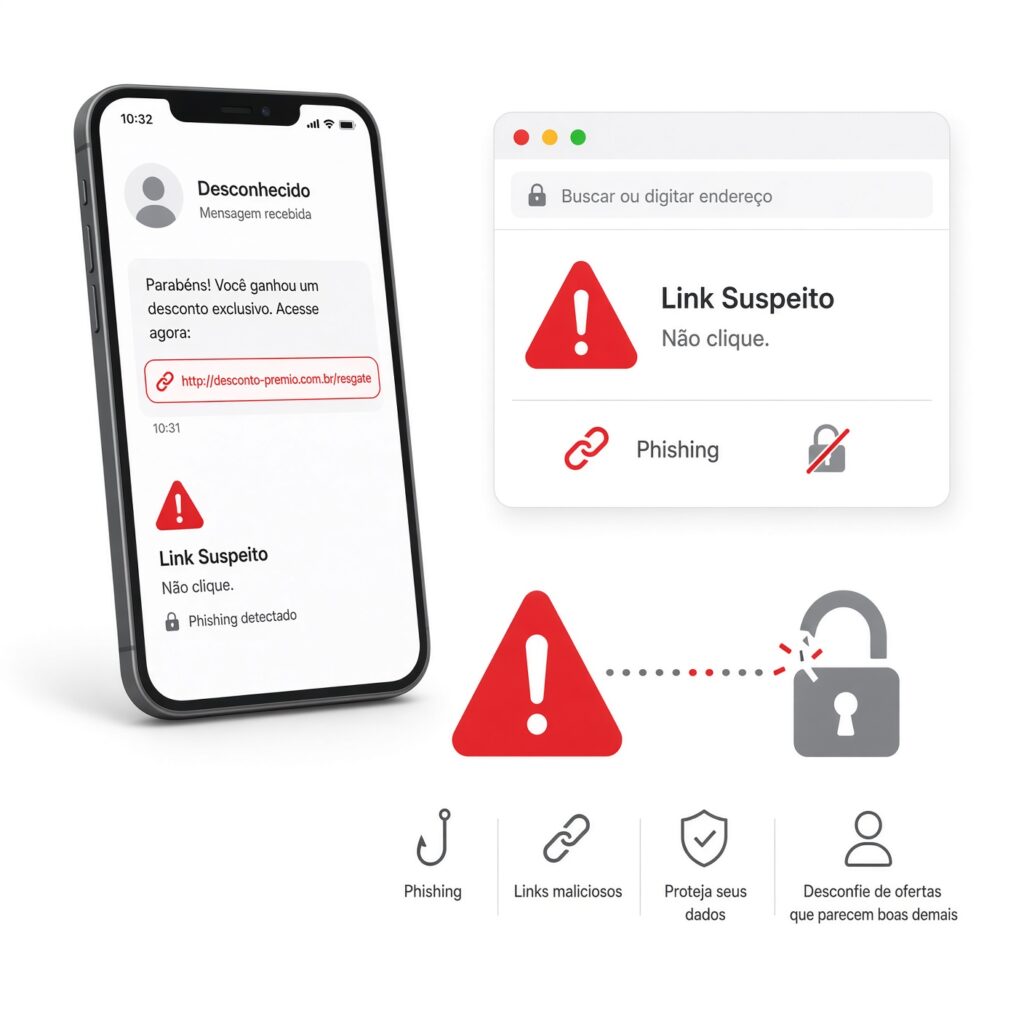
Phishing is a form of social engineering where cybercriminals impersonate trusted organizations—such as your bank, a streaming service, a government agency, or a delivery courier—to trick you into revealing sensitive information. Today’s phishing scams are remarkably sophisticated, often featuring official logos, realistic email templates, and urgent tones designed to bypass your rational thinking.
Common Red Flags in Phishing Attempts
- Urgent or Threatening Language: Scammers want you to act out of panic rather than logic. Messages warning that “Your account will be suspended in 24 hours unless you verify your details” are almost always fraudulent.
- Generic Greetings: Legitimate financial institutions and companies will address you by your actual name, not a generic greeting like “Dear Customer” or “Valued User.”
- Mismatched URLs: Always hover your mouse pointer over hyperlinks before clicking them. Check the actual destination URL in the preview window to see if it contains strange typos, unexpected domain names, or misspelled brand names (e.g.,
amaz0n.cominstead ofamazon.com).
How to Defend Yourself
Never click links inside unsolicited emails or text messages regarding account problems, security alerts, or package deliveries. Instead, open a new browser tab, manually navigate to the official website of the company in question, and log into your account directly to check for genuine notifications.
4. Keep Your Operating Systems and Software Updated
Software updates are rarely just cosmetic updates or new feature rollouts. The vast majority of software updates contain critical security patches designed to fix newly discovered vulnerabilities. When security researchers or hackers discover a flaw in an operating system, browser, or app, software developers race to write code that patches the security hole.
The Danger of Outdated Software
If you delay or ignore software updates, you leave your devices exposed to known exploits. Cybercriminals actively scan the internet for unpatched devices and use automated scripts to compromise them within hours of a vulnerability becoming public.
Automating Your Security Updates
- Turn on Automatic Updates: Configure your smartphone, computer, web browsers, and smart home devices to install updates automatically.
- Update Third-Party Apps: Beyond your operating system, make sure applications like Adobe Acrobat, Microsoft Office, media players, and browser extensions are kept fully up to date, as these are frequently targeted by malware authors.
5. Recognize the Risks of Public Wi-Fi Networks
Free public Wi-Fi networks found in coffee shops, airports, hotels, and shopping malls are undeniably convenient, but they are also notoriously insecure. Because open networks typically do not encrypt the traffic flowing between your device and the wireless router, anyone else connected to that same network can potentially intercept your data.
Man-in-the-Middle Attacks and Packet Sniffing
On an unsecured public network, malicious actors can use specialized software to monitor network traffic—a technique known as packet sniffing. If you log into an unencrypted website or check your bank balance over public Wi-Fi, attackers can capture your login credentials, personal messages, and financial data in plain text.
How to Stay Safe on the Go
- Avoid Sensitive Transactions: Never log into your online banking portal, enter credit card information, or access sensitive work documents while connected to public Wi-Fi.
- Use a Virtual Private Network (VPN): A reputable VPN encrypts all the internet traffic leaving your device, creating a secure tunnel between you and the destination server. Even if someone is monitoring the public Wi-Fi network, they will only see encrypted, unreadable data.
- Use Your Mobile Hotspot: When you need a secure connection on the go, turn your smartphone into a personal mobile hotspot. Cellular data connections are encrypted and significantly safer than public routers.
6. Practice Safe Browsing and Download Hygiene

Your web browser is your gateway to the internet, but it can also be an entry point for malware, spyware, and adware if you aren’t careful. Safe browsing habits protect you from stumbling onto malicious domains or downloading harmful files disguised as legitimate software.
Identifying Secure Websites
Always look at the address bar of your web browser before entering personal information. A secure website uses HTTPS (Hypertext Transfer Protocol Secure) and displays a small padlock icon next to the URL. The “S” stands for secure, indicating that the communication between your browser and the website is encrypted. Avoid entering sensitive data on any site marked as “Not Secure.”
Best Practices for Downloading Files
- Stick to Official App Stores: Only download mobile apps from the official Apple App Store or Google Play Store, where applications undergo rigorous security reviews. Avoid downloading apps from third-party APK sites or random web banners.
- Verify Software Sources: When downloading desktop software, always download directly from the official developer’s website. Be wary of third-party download aggregators that bundle free software packages with unwanted adware, browser hijackers, or spyware (often referred to as potentially unwanted programs or PUPs).
- Install a Trusted Antivirus/Anti-Malware Solution: Keep a reputable security program active on your computer to scan downloads in real-time and block malicious web pages automatically.
7. Be Mindful of Your Digital Footprint on Social Media
Oversharing on social media platforms is one of the leading causes of targeted identity theft and social engineering attacks. When you publicly broadcast your daily routine, vacation plans, family details, and personal milestones, you give malicious actors a goldmine of information.
How Oversharing Enables Cybercrime
- Security Questions: Many online accounts use security questions like “What is your mother’s maiden name?”, “What was the name of your first pet?”, or “What city were you born in?” If you publish these details on public Instagram or Facebook profiles, criminals can easily answer your security questions and reset your account passwords.
- Vacation Tracking: Posting live updates about your vacation (“Enjoying two weeks in Europe! Home is completely empty!”) signals to burglars that your physical home is vacant and vulnerable.
- Targeted Spear Phishing: Attackers scrape social media profiles to craft hyper-personalized phishing emails. For example, if they know your pet’s name, employer, and favorite hobbies from your public posts, they can send a convincing scam message tailored specifically to your interests.
Practical Privacy Habits
- Lock Down Your Privacy Settings: Review the privacy settings on all your social media accounts. Restrict your posts, friend lists, and personal details so they are only visible to approved friends and family members, not the general public.
- Think Before You Post: Ask yourself whether a post reveals sensitive personal details, location data, or answers to common security prompts before hitting publish.
8. Backup Your Data Regularly with the 3-2-1 Rule
Ransomware attacks, hardware failures, accidental deletions, and lost laptops can strike at any moment. If you don’t have recent backups of your irreplaceable digital files—such as family photos, financial documents, tax records, and creative projects—a single technical disaster can result in permanent loss.
Understanding Ransomware
Ransomware is a particularly nasty form of malware that encrypts all the files on your computer and demands a hefty financial ransom in exchange for the decryption key. Even if a victim pays the ransom, cybercriminals frequently refuse to restore access or demand additional payments.
The Gold Standard: The 3-2-1 Backup Strategy
To ensure your data is completely safe from hardware crashes, theft, fire, or ransomware, cybersecurity experts recommend following the 3-2-1 backup rule:
- 3 Copies: Keep at least three total copies of your data: your primary working data plus two backups.
- 2 Different Media Types: Store your backups on at least two different types of storage media (e.g., your local computer hard drive, an external USB solid-state drive, or cloud storage).
- 1 Offsite Copy: Keep at least one backup copy offsite (such as a secure cloud backup service like iCloud, Google Drive, OneDrive, or Backblaze). Cloud backups are immune to local disasters, theft, and local ransomware encryption because they are stored on separate, remote servers.
9. Safeguard Your Personal Information and Identity
Your personal identifiable information (PII)—including your Social Security number, date of birth, home address, and full legal name—is valuable currency on the dark web. Once cybercriminals assemble a complete profile of your identity, they can open fraudulent credit cards, apply for loans, file fake tax returns, or drain your savings accounts in your name.
Tactics Used to Steal Identity Data
- Data Brokers: Numerous online data broker companies scrape public records, social media profiles, and shopping habits to compile detailed consumer dossiers, which they sell to marketers and occasionally expose in data breaches.
- Physical Theft: Carelessly throwing away mail containing bank statements, medical bills, or tax documents without shredding them first gives “dumpster divers” direct access to your PII.
- Fake Job Offers and Scams: Elaborate employment scams often require applicants to submit tax forms, passport scans, and Social Security details under the guise of an onboarding process, only to steal the identity data.
Steps to Protect Your Identity
- Shred Sensitive Documents: Always cross-cut shred physical documents containing personal or financial information before throwing them in the trash.
- Monitor Your Credit Reports: Regularly check your credit reports for unauthorized inquiries or unfamiliar accounts. Many financial institutions and credit cards now offer free credit monitoring alerts.
- Minimize Information Sharing: Only provide your Social Security number or sensitive identification numbers when legally required and when you completely trust the requesting organization.
10. Know How to Respond When Security Breaches Happen
Even when you follow every cybersecurity best practice meticulously, things can still go wrong. Corporations experience data breaches, devices can occasionally be infected with malware, and unauthorized login attempts can happen. Knowing how to react swiftly and calmly when an incident occurs is crucial to minimizing damage.
Action Plan for a Security Incident
- Revoke Access Immediately: If you suspect an online account has been compromised, log in immediately (if you still have access) and change your password to a strong, unique one. Force-log out all active sessions across all devices.
- Contact Financial Institutions: If your credit card information or banking details are compromised, call your bank immediately to freeze your cards, dispute unauthorized charges, and request replacement account numbers.
- Run a Malware Scan: If your computer or phone begins acting strangely, disconnect it from the internet immediately and run a comprehensive scan using a reputable anti-malware tool.
- Report Fraud: If you fall victim to identity theft or financial scams, report the incident to local law enforcement and relevant consumer protection agencies to create an official paper trail.
Building Sustainable Digital Habits
Online safety is not a one-time chore you check off a list; it is an ongoing mindset. Cyber threats will continue to evolve as technology advances, but the foundational principles of good digital hygiene remain remarkably consistent.
By taking small, deliberate steps today—such as switching to a password manager, turning on multi-factor authentication, thinking twice before clicking suspicious links, and keeping your software updated—you build a resilient personal security posture. Protecting your digital life allows you to enjoy the countless benefits of the internet with confidence, peace of mind, and security.