
5 Best Tools for Analyzing Suspicious Files Before Running Them

Every single day, millions of people download files from the internet. Whether it is a software installer from an unfamiliar vendor, an email attachment from a partner, or a compressed archive found on an online forum, downloading content has become a routine part of modern life. However, this routine behavior carries hidden dangers. Cybercriminals continuously refine their methods, utilizing sophisticated obfuscation techniques, zero-day vulnerabilities, and social engineering to trick everyday users into executing malicious code.
When you encounter an unfamiliar file, your first instinct might be to double-click it and see what happens. This approach, however, can result in immediate system compromise, ransomware encryption, or credential theft. Cybersecurity professionals follow a golden rule: never run a suspicious file directly on your primary machine. Instead, safety-conscious users rely on specialized analytical platforms that evaluate files in isolated, controlled environments.
Analyzing a file before executing it allows you to uncover its true intent without risking your operating system, personal documents, or private accounts. In this comprehensive guide, we will explore the 5 best tools for analyzing suspicious files before running them, breaking down how they work, why they matter, and how everyday web users can leverage them to maintain digital safety.
1. VirusTotal: The Ultimate Multi-Engine Reputation Gateway
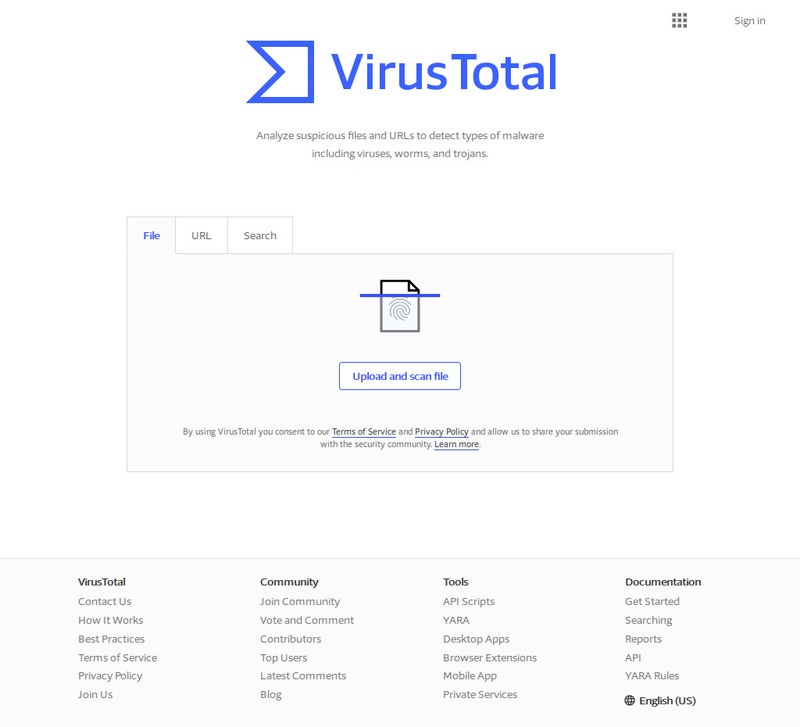
When you need an immediate verdict on whether a file is safe, VirusTotal stands out as the most widely recognized and trusted platform in the cybersecurity community. Operated as a subsidiary of Google, VirusTotal allows users to upload files or submit cryptographic file hashes (such as MD5, SHA-1, or SHA-256) to check them against dozens of top-tier antivirus engines and threat intelligence databases simultaneously.
How VirusTotal Protects Your Workflow
Instead of relying on a single security product, VirusTotal aggregates results from over 70 different antivirus scanners. If a file has been previously analyzed anywhere in the world, its cryptographic signature will likely match records in the database, revealing detections instantly.
Beyond multi-engine scanning, the platform provides deep structural insights:
- File Metadata: Displays compilation timestamps, original filenames, and internal structural headers.
- Behavioral Reports: Shows what network connections, registry changes, or dropped files occurred when the sample was previously executed in automated sandboxes.
- Community Intelligence: Integrates comments, threat labels, and tags from global security researchers who have evaluated the same sample.
Best Practices for Everyday Users
While VirusTotal is an exceptional first line of defense, it is important to understand its limitations. Because it relies heavily on historical data and existing signatures, brand-new or heavily modified malware (“zero-day” threats) might initially return a clean score. Therefore, a clean result on VirusTotal should be treated as a positive indicator, but not as an absolute guarantee of safety.
2. ANY.RUN: Interactive Cloud Sandboxing for Real-Time Observation
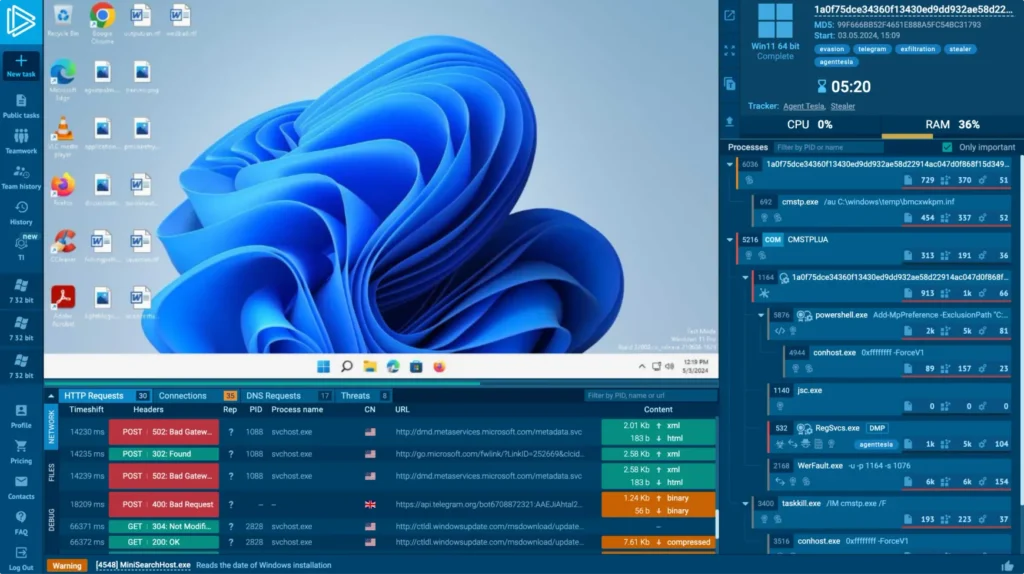
If static reputation lookups do not provide enough clarity, you need to see how the file actually behaves when executed. Traditionally, this required setting up complex virtual machines and isolated laboratory networks. ANY.RUN revolutionized this process by providing an interactive, cloud-based sandbox that launches in your web browser within seconds.
Experiencing Malware Behavior Live
ANY.RUN allows you to upload a suspicious executable, document, or archive and run it inside a fully functional virtual operating system (such as Windows 10 or Windows 11). What makes this tool uniquely powerful for beginners and professionals alike is its interactivity: you can click around, open command prompts, and watch the execution flow in real time.
Key features that make ANY.RUN indispensable include:
- Visual Process Tree: Generates a real-time flowchart mapping every process spawned by the file, making it easy to spot hidden malicious subprocesses.
- Network Activity Monitor: Tracks outbound connections, revealing whether the file attempts to communicate with suspicious command-and-control (C2) servers.
- Automatic Threat Classification: Flags malicious indicators instantly, categorizing behaviors like credential dumping, process injection, or ransomware encryption routines.
By watching the execution unfold in an isolated cloud environment, you remove all risk to your local machine while gaining complete clarity on what the file attempts to do.
3. Hybrid Analysis: Automated Behavioral Reports and Threat Intelligence
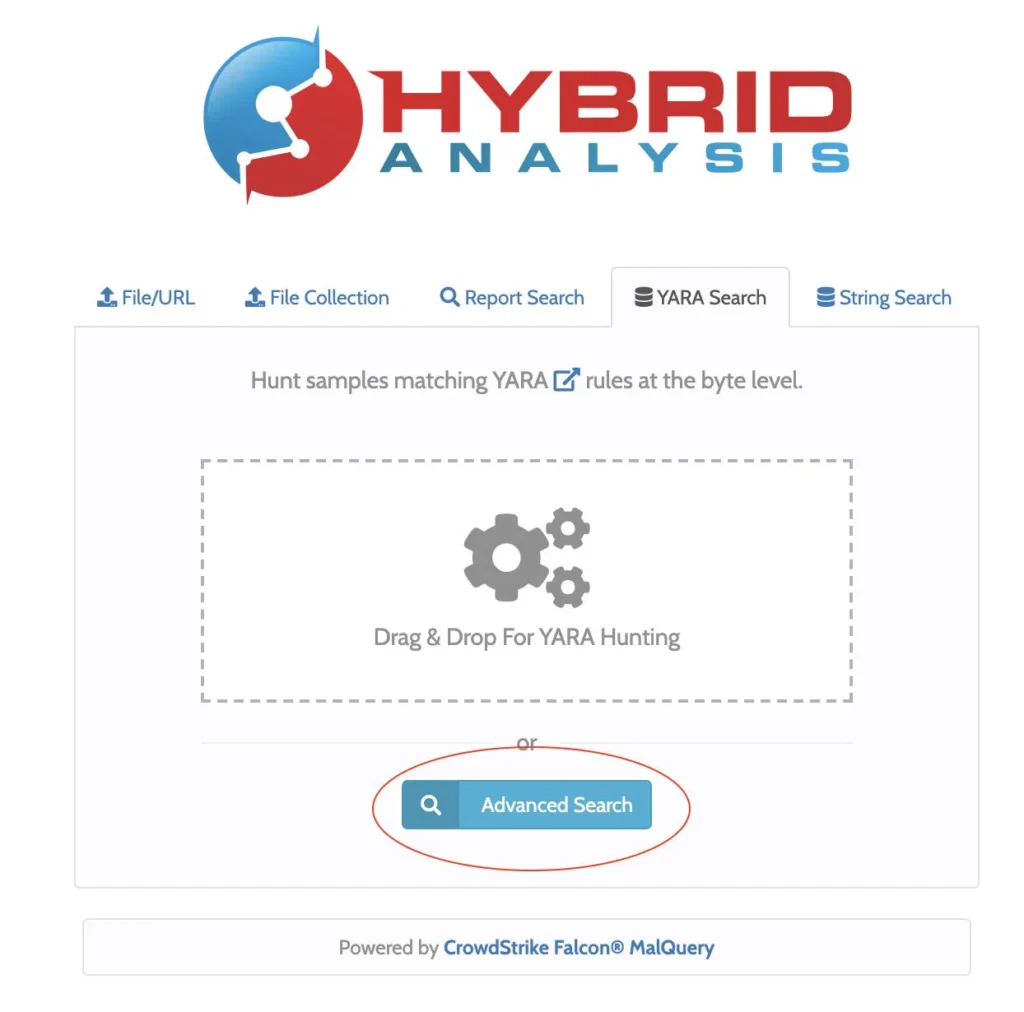
For users who want detailed behavioral insights without managing an interactive live session, Hybrid Analysis (powered by CrowdStrike) offers a robust, free automated sandboxing solution. It bridges the gap between raw technical data and accessible, human-readable threat assessments.
Structured Analysis Made Accessible
When you submit a file to Hybrid Analysis, the platform detonates the sample in a specialized sandbox and subjects it to rigorous static and dynamic scrutiny. Within moments, it generates an extensive report designed to highlight critical risks clearly.
Notable elements of a Hybrid Analysis report include:
- MITRE ATT&CK Mapping: Automatically aligns the file’s actions with established cybersecurity frameworks, showing exactly which tactics and techniques the threat actor employs.
- Extracted Indicators of Compromise (IOCs): Lists specific IP addresses, domain names, registry keys, and file paths generated during execution.
- Extracted Payloads: Automatically unpacks and separates any secondary files dropped or downloaded during the execution cycle.
Hybrid Analysis excels at translating complex technical telemetry into clear, structured summaries, making it an exceptional resource for understanding the real-world impact of an unknown file.
4. PEStudio: Safe Static Triage Without Execution
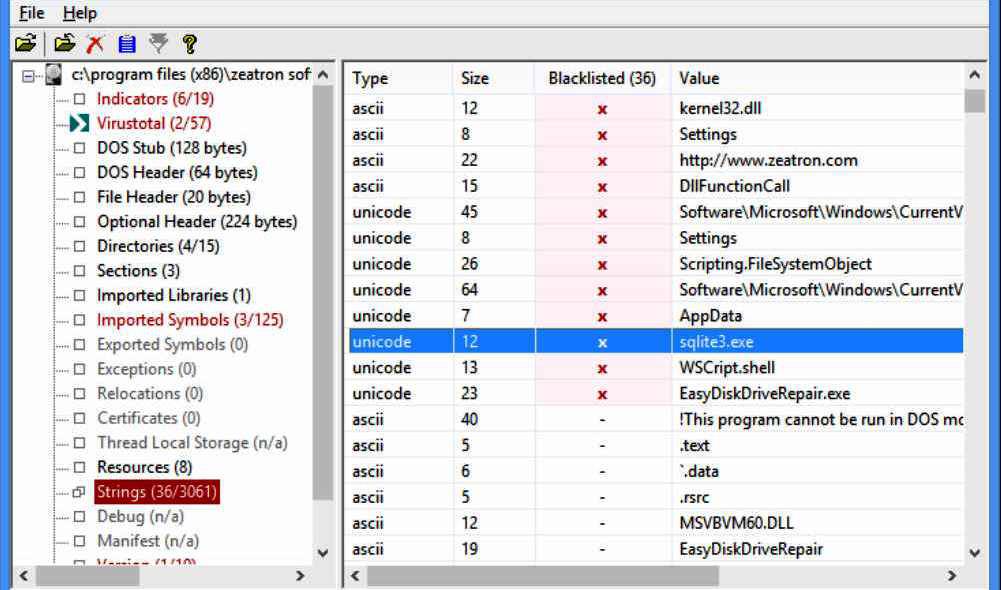
All the sandboxes mentioned above involve executing the file in some capacity. However, what if you want to inspect a Windows executable (.exe or .dll) without running it at all? PEStudio is a specialized static analysis tool designed specifically for this purpose.
Uncovering Hidden Intent Before Execution
PEStudio examines the internal structure of a Portable Executable (PE) file while it rests safely on your disk. Because it never triggers execution, even the most aggressive malware cannot launch its payload or infect your system while being analyzed.
Key insights provided by PEStudio include:
- Suspicious API Calls: Identifies functions the program intends to use, such as those responsible for modifying system files, recording keystrokes, or injecting code into other processes.
- Embedded Strings and URLs: Extracts hidden text strings, revealing hardcoded web addresses, IP destinations, or error messages left behind by developers.
- Indicator Flags: Automatically highlights anomalies, such as mismatched compilation dates, missing security signatures, or signs of file packing and obfuscation.
By using PEStudio as an early-stage screening tool, you can gather valuable intelligence about a file’s purpose and construction before deciding whether it warrants further sandbox testing.
5. Detect It Easy (DIE): Identifying Packers, Obfuscation, and Compilers
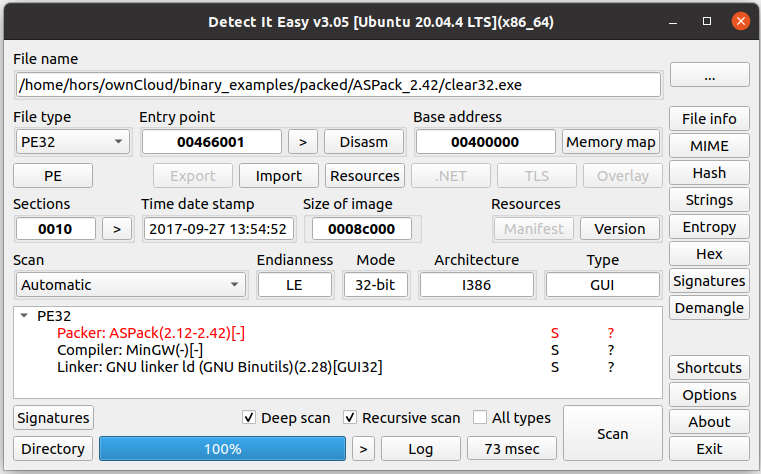
Malware authors rarely leave their code exposed in plain view. To evade traditional antivirus detection and hinder analysis, they frequently wrap their programs in “packers,” protectors, or custom encryption layers. Detect It Easy (DIE) is a lightweight utility engineered to peel back these layers and identify how a file was built.
Exposing Obfuscation Techniques
When you load a suspicious file into Detect It Easy, the software scans its internal headers and byte patterns to determine the compiler, packer, or protector used.
Understanding whether a file is packed changes your entire analytical approach:
- Unpacking Requirements: If a file is heavily packed, basic static tools may fail to show useful strings or imports until the packing layer is stripped or unwrapped.
- Intent Indicator: Legitimate commercial software occasionally uses packers for digital rights management (DRM), but unknown freeware or utility downloads packed with obscure tools often indicate malicious intent.
DIE provides a fast, efficient way to fingerprint the structural makeup of unknown binaries, helping you decide whether specialized unpacking or advanced reverse engineering is necessary.
Building a Safe File-Checking Workflow
Navigating the digital landscape safely requires moving away from the risky habit of opening files on blind trust. By establishing a structured, multi-layered workflow, you can thoroughly investigate any download before it touches your primary operating system:
- Check Reputation First: Start by submitting the file or its hash to VirusTotal to catch known threats immediately.
- Inspect Structure Safely: Use PEStudio and Detect It Easy (DIE) to examine internal properties, APIs, and packing techniques without running the code.
- Observe Behavior in Isolation: Detonate the file in an automated environment like Hybrid Analysis or an interactive cloud sandbox like ANY.RUN to watch its actions safely.
Adopting these practices transforms online safety from a game of chance into a disciplined, systematic routine, ensuring your personal and professional digital environments remain secure against evolving threats.