Can Scammers Use Your Phone Number to Access Your Accounts?

Your phone number is no longer just a way for friends and family to call or text you. Over the past decade, it has quietly become the master key to your digital identity. Whenever you log into your bank, reset a forgotten email password, or verify a new device on social media, there is a high chance a six-digit security code gets sent straight to your mobile phone.
Because so many online services rely on SMS text messages to confirm who you are, cybercriminals have shifted their focus toward targeting mobile numbers. If you have ever wondered whether someone can break into your bank, email, or social media profiles simply by knowing your digits, the short answer is not directly on its own—but it is often the exact starting point criminals use to take over your accounts.
Understanding how a simple ten-digit number turns into a security vulnerability is one of the most important steps you can take to protect your finances and personal privacy. Below, we break down exactly what scammers can and cannot do with your phone number, the sneaky methods they use to hijack it, and the practical steps you can take today to lock them out for good.
What Can Scammers Actually Do With Just Your Phone Number?
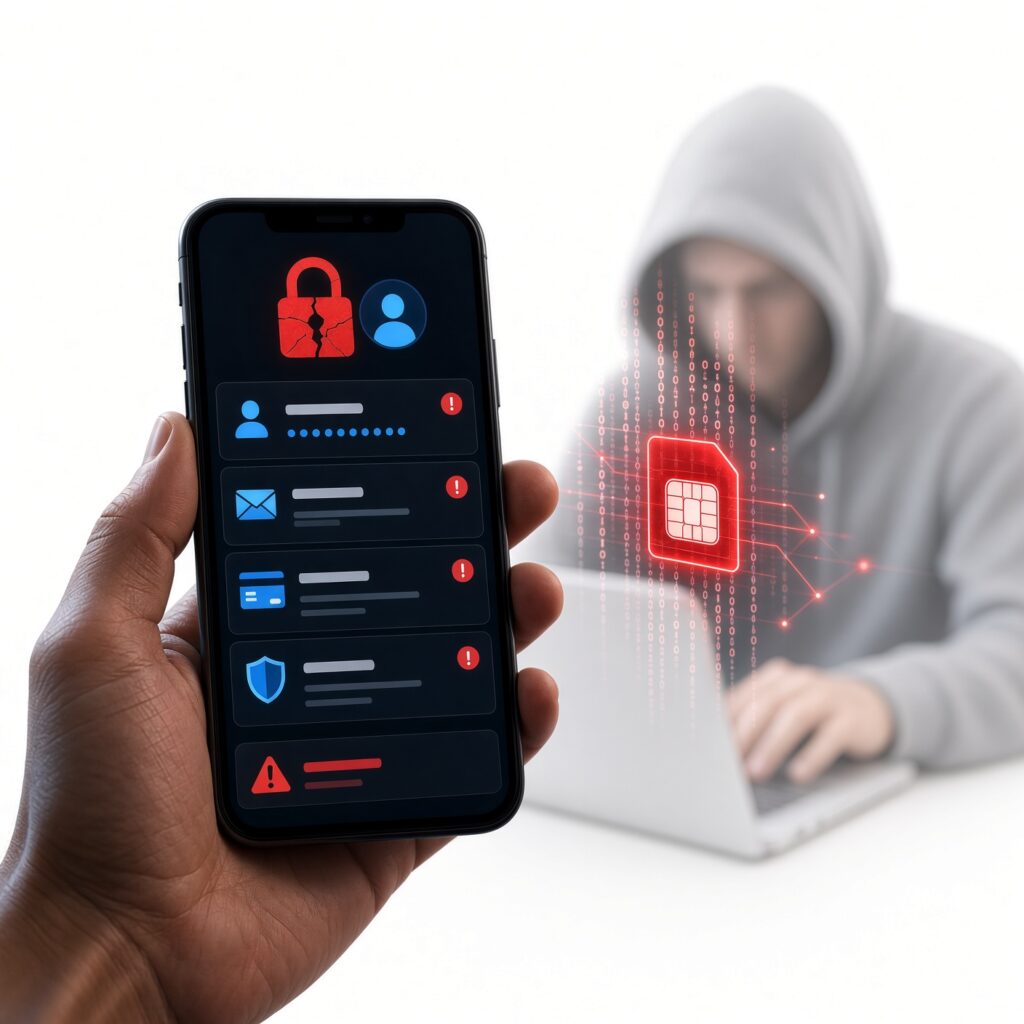
If a stranger finds your phone number on a leaked marketing list, a public directory, or a social media profile, they cannot immediately unlock your phone or drain your checking account. Knowing a phone number is similar to knowing someone’s home street address—it tells a criminal where to knock, not how to unlock the front door.
However, a phone number is rarely an isolated piece of information. Scammers routinely combine your mobile number with other personal details exposed in corporate data breaches—such as your full name, email address, home address, or date of birth. Once those puzzle pieces are put together, your phone number becomes a powerful tool for several types of fraud:
- Targeted Phishing Messages (Smishing): Scammers send realistic-looking text messages pretending to be your bank, a delivery carrier, or a government agency, tricking you into clicking a fake login link.
- Account Recovery Exploitation: Many websites allow users to initiate a password reset using only a phone number or email address, sending a one-time verification code via text.
- Caller ID Spoofing and Impersonation: Criminals can mask their own numbers to make it appear as though calls or texts are coming from you, allowing them to deceive your friends, family, or coworkers.
- Social Engineering Against Your Mobile Carrier: Armed with your phone number and basic background details, fraudsters can contact your wireless provider pretending to be you and request changes to your mobile account.
In short, your phone number acts as a gateway. While a criminal cannot hack your device simply by dialing your number, they can use it to intercept the security checks designed to keep them out.
How SIM Swapping Lets Criminals Hijack Your Two-Factor Authentication Codes
The single biggest threat tied to your phone number is an attack known as SIM swapping (sometimes called SIM jacking). To understand why it is so dangerous, it helps to look at how most people secure their online accounts.
When you turn on two-factor authentication (2FA) for your bank or email, the service asks for two things before letting you in: your password, and a temporary code sent to your phone via SMS. In theory, even if a hacker steals your password, they still cannot log in without holding your physical phone.
SIM swapping bypasses that safeguard entirely without the criminal ever touching your device. Here is how the attack unfolds step by step:
- Data Gathering: The scammer collects your phone number, name, and personal details from data breaches, public records, or social media profiles.
- Contacting Your Carrier: The criminal calls or chats with your mobile network provider’s customer support, impersonating you. They often claim they lost their phone, damaged their device, or bought a new handset and need their existing number activated on a new SIM card or eSIM.
- Number Transfer: If the customer service representative accepts the scammer’s answers to security questions, the carrier deactivates your SIM card and transfers your phone number to a SIM card controlled by the attacker.
- Account Takeover: Instantly, your phone loses cellular signal. Meanwhile, every phone call and text message meant for you now goes straight to the scammer’s device.
Once the attacker receives your text messages, they visit your email provider, banking apps, and cryptocurrency exchanges, click “Forgot Password,” and request an SMS reset code. Within minutes, they can reset your passwords, lock you out of your primary email, and begin transferring funds.
Port-Out Fraud and Call Forwarding: Other Ways Scammers Hijack Your Line
While SIM swapping moves your number to a new SIM card within your existing mobile carrier, scammers also use two closely related tactics to intercept your communications:
Port-Out Fraud
Port-out fraud happens when a criminal tricks a completely different wireless carrier into transferring—or “porting”—your phone number away from your current provider to a new account they opened in your name. Just like a SIM swap, your phone suddenly drops off the network, and all incoming texts and calls are routed to the criminal’s phone. Federal regulators have implemented stricter carrier verification and customer notification rules to curb unauthorized number transfers, yet attackers still target accounts that lack custom carrier PINs.
Unauthorized Call and Text Forwarding
In some cases, scammers do not even need to deactivate your SIM card. If they gain access to your online wireless carrier portal—often because you reused an old password—they can quietly enable call forwarding or message rerouting features. Because your phone keeps its normal cellular signal, you might not realize anything is wrong until suspicious charges appear on your bank statements.
| Attack Method | How It Works | Primary Warning Sign |
|---|---|---|
| SIM Swapping | Carrier transfers your number to a new SIM/eSIM held by the attacker. | Sudden loss of cellular service (“No Service” or “SOS Only”). |
| Port-Out Fraud | Number is moved to a different wireless provider without your consent. | Carrier alert about a port request followed by dead signal. |
| Smishing | Fake texts trick you into entering login details or sharing 2FA codes. | Urgent texts demanding immediate action via a link. |
| Call Forwarding | Incoming calls are silently redirected to a scammer’s phone. | Missed calls that never ring on your handset. |
Smishing and Social Engineering: How Scammers Trick You Into Handing Over Codes
Not every phone-based account takeover involves tricking a wireless carrier. Often, the easiest way for a scammer to use your phone number against you is simply to ask you for the verification code—disguised as someone you trust.
Imagine you receive a text message claiming to be from your bank’s fraud department: “Alert: Did you just authorize a $1,450 wire transfer? Reply YES or NO.” Naturally, you reply “NO.” Seconds later, your phone rings, and the caller ID displays your bank’s real customer support number.
The person on the line sounds calm, professional, and helpful. They say they are canceling the fraudulent transfer right now, and to verify your identity, they just sent a six-digit security code to your phone. They ask you to read that code back to them.
What is actually happening behind the scenes is simple: while talking to you on the phone, the scammer is sitting at a computer trying to log into your real bank account. The six-digit code on your screen is your real two-factor authentication code. The moment you read those numbers aloud, the scammer types them in and gains full access to your money.
A legitimate bank, tech company, or government agency will never call or text you asking you to read back a one-time security code. Those codes are strictly for you to enter into a website or app yourself.
Warning Signs That Someone Is Trying to Use Your Phone Number to Break In

When criminals target your phone number, speed matters. Catching an attack in its early stages can mean the difference between a minor inconvenience and a drained savings account. Watch closely for these red flags:
- Sudden Loss of Cell Service: If your phone abruptly loses signal and displays “SOS Only” or “No Service” in an area where you normally have strong reception—and other people nearby on the same network have service—someone may have just swapped your SIM.
- Unsolicited Two-Factor Authentication Codes: Receiving a text message with a login or password reset code when you are not actively trying to sign into an account means someone has your username or password and is attempting to get past the final security step.
- Carrier Notifications About Account Changes: Never ignore texts or emails from your mobile provider mentioning a new SIM activation, eSIM download, password update, or number port request that you did not initiate.
- Unexpected Password Reset Emails: If your inbox suddenly fills up with password reset confirmations across multiple websites, an attacker may already have control of your phone number or primary email.
- Friends Reporting Strange Texts From You: If contacts say they received suspicious links or urgent requests for money from your number, your number is either being spoofed or your messaging accounts have been compromised.
How to Protect Your Phone Number and Online Accounts From Scammers
You do not need to throw away your smartphone or live off the grid to stay safe. By removing your phone number as the weakest link in your digital security, you can block almost every phone-based takeover attempt before it starts.
1. Switch From SMS to an Authenticator App
The single most effective upgrade you can make today is replacing text-message two-factor authentication with an authenticator app (such as Google Authenticator, Microsoft Authenticator, or Authy) or a physical hardware security key. Authenticator apps generate time-sensitive login codes directly on your physical device rather than sending them over a cellular network. Even if a criminal successfully hijacks your phone number through a SIM swap, they still cannot generate the codes stored inside your app.
2. Set Up a Carrier Account PIN and Number Lock
Contact your wireless provider or log into your mobile account settings to enable two essential protections:
- Account Security PIN: Create a unique, hard-to-guess passcode required before anyone can make changes to your SIM card or wireless plan. Avoid obvious numbers like your birth year or the last four digits of your Social Security number.
- Number Lock / Port Freeze: Most major carriers offer a free “Number Lock” or “Port Freeze” toggle inside their mobile app. Turning this on blocks your phone number from being transferred to another carrier until you manually unlock it.
3. Secure Your Primary Email Account First
Your primary email inbox is the recovery hub for nearly every financial, shopping, and social media account you own. If a scammer breaks into your email, they can reset passwords everywhere else. Give your main email address a long, completely unique password that you never reuse on any other website, remove your phone number as a recovery option if app-based 2FA is enabled, and turn on login alerts.
4. Limit Where You Share Your Personal Phone Number
Every retail loyalty program, online giveaway, and public directory where you enter your primary mobile number increases the odds that it will eventually end up in a data breach or data broker database. Consider using a secondary virtual number (such as Google Voice) for online shopping, restaurant reservations, and non-essential signups, keeping your real carrier number strictly for banking, close contacts, and trusted institutions.
5. Lock Down Your Social Media Privacy Settings
Scammers routinely scrape social media profiles to find the answers to common security questions—like your mother’s maiden name, your high school, your hometown, or your pet’s name. Set your profiles to private, hide your phone number and birthday from public view, and avoid posting photos that reveal personal documents or location routines.
What to Do Immediately If Your Phone Number Is Compromised
If your phone suddenly loses cellular service or you suspect a scammer has hijacked your number, acting within the first few minutes can prevent serious financial damage:
- Call Your Wireless Carrier From Another Phone: Use a family member’s phone or a landline to contact your mobile provider’s fraud department immediately. Tell them your SIM card was swapped without authorization and ask them to freeze your account and restore your number to your device.
- Contact Your Banks and Financial Institutions: Call the fraud numbers on the back of your debit and credit cards to place temporary freezes on online transfers and password changes.
- Change Passwords From a Trusted Computer: Using a secure computer connected to Wi-Fi, update the passwords on your primary email, banking portals, and social media accounts, starting with the most sensitive ones.
- Remove SMS Verification Where Possible: While inside your account settings, replace text-message 2FA with an authenticator app so the attacker loses access even if they still hold your number.
- File Official Fraud Reports: Report the identity theft or account takeover to the Federal Trade Commission at IdentityTheft.gov and file a complaint with the FBI’s Internet Crime Complaint Center (IC3) so you have an official paper trail if unauthorized charges occur.
Frequently Asked Questions About Phone Number Scams
Can someone hack my phone just by calling or texting me?
No. Simply answering a phone call or opening a standard SMS text message cannot install malware or give a hacker control of your smartphone. The danger happens only if you click a malicious link inside a message, download an infected attachment, or get tricked into sharing personal details or verification codes.
Is it safe to use SMS two-factor authentication for my bank?
Using SMS two-factor authentication is still much safer than relying on a password alone, so you should never disable it without setting up a stronger alternative first. However, whenever your bank or online service supports an authenticator app, passkey, or hardware security key, switching away from SMS provides significantly stronger protection against SIM swapping.
How did scammers get my phone number in the first place?
Even if you are careful, your phone number can become public through third-party data breaches at companies you have shopped with, public voter or property records, marketing lists sold by data brokers, or automated robocallers that dial thousands of random number combinations until someone answers.
Your phone number is an everyday convenience, not a secret password—and treating it that way is the smartest defense against modern cybercrime. By pairing strong, unique passwords with app-based authentication and a carrier PIN lock, you ensure that even if scammers know your number, your accounts remain firmly out of their reach.