How to Recognize Unsafe Websites Before Visiting Them

Navigating the modern internet requires a sharp eye and a proactive approach to digital safety. Every single day, thousands of malicious domains are launched with the sole purpose of stealing personal data, harvesting credit card details, or infecting devices with ransomware and spyware. For the average web user, telling the difference between a secure, trustworthy portal and a dangerous phishing trap can feel overwhelming. However, protecting your digital footprint does not require an advanced degree in cybersecurity. By learning how to spot warning signs before you even click a link, you can drastically reduce your exposure to online threats.
This comprehensive guide explores actionable, easy-to-understand techniques designed to help you identify unsafe websites at a glance. Whether you are shopping online, checking your bank account, or simply reading the news, mastering these evaluation steps ensures a safer, more confident browsing experience.
Why Pre-Visit Safety Checks Matter in Modern Cybersecurity
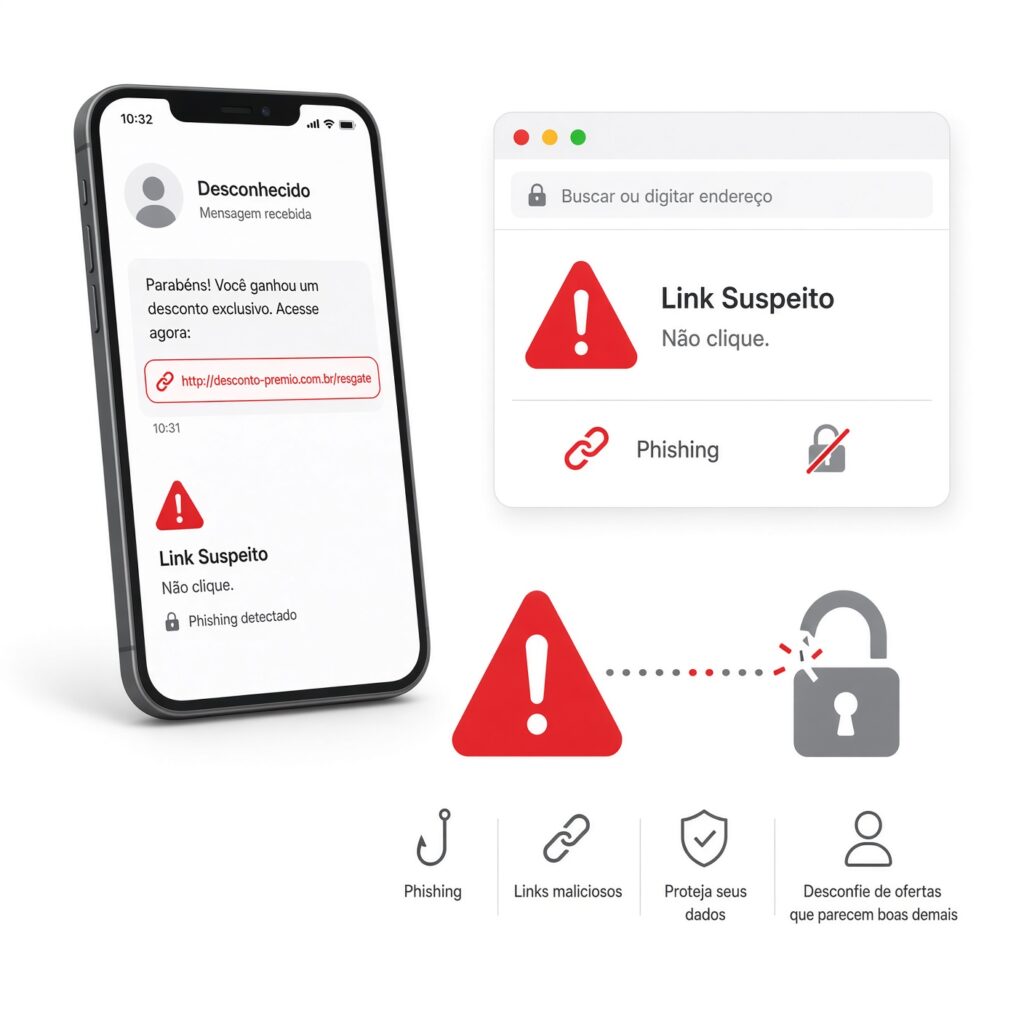
The traditional mindset of internet security relied heavily on reactive measures—such as installing an antivirus program after downloading a suspicious file or changing a password only after a breach occurred. Today, cyber threats have evolved to target users before they cross the threshold of a malicious domain. Drive-by downloads, deceptive browser redirects, and sophisticated lookalike domains can compromise your system the exact moment a page loads.
Understanding the mechanics of unsafe websites shifts your position from a reactive victim to a proactive defender. Cybercriminals rely heavily on psychological manipulation, urgency, and visual deception to trick users into lowering their guard. When you adopt a routine of evaluating links, domain structures, and context clues prior to visiting, you disrupt the attacker’s workflow. This foundational habit is the ultimate line of defense for maintaining personal privacy and financial security in an increasingly interconnected world.
Analyzing the URL Structure: Spotting Lookalike Domains and Typosquatting
The web address bar is your first and most reliable window into the true nature of a website. Attackers know that everyday users rarely inspect every single character of a URL, which creates an opportunity for malicious actors to employ a tactic known as typosquatting.
Typosquatting involves registering domain names that closely mimic popular, trusted brands—such as substituting an uppercase “I” for a lowercase “l,” replacing letters with numbers (like using a “1” instead of an “l”), or misspelling well-known corporate names by a single letter. For example, a fake banking portal might alter a domain extension or subtly swap internal letters to trick someone typing in a hurry.
- Check for Character Accuracy: Always look closely at the spelling of the domain name before hitting enter. If a familiar brand name contains extra hyphens, strange characters, or unusual country-code top-level domains (such as
.xyzor random extensions instead of.com), proceed with extreme caution. - Examine the Subdomain Layout: Sophisticated phishers often create convincing subdomains to deceive visitors. For instance, a malicious link might look like
login.yourbank.com.maliciousdomain.net. Always read the domain from right to left, focusing on the root domain immediately preceding the primary extension to verify who actually owns the site.
Looking Beyond the Padlock: The Truth About HTTPS and SSL Certificates
For many years, internet users were taught a simple rule: if a website features a padlock icon and begins with https://, it is completely safe. While this used to be a reliable metric, the digital landscape has shifted dramatically. Today, the vast majority of malicious and phishing websites successfully obtain free SSL certificates, meaning they also display the familiar padlock icon.
An SSL certificate only guarantees that the data transmitted between your browser and the server is encrypted; it says nothing about the moral integrity or identity of the website owner.
- Verify the Certificate Details: If you have doubts about a site’s authenticity, click the padlock icon in your browser’s address bar and open the certificate details. Check the organization name listed inside the certificate. If a site claiming to be a major global retailer is registered to an unverified individual or an unrelated entity, it is likely a fraudulent front.
- Combine Signals: Treat HTTPS as a baseline technical requirement rather than a definitive guarantee of trust. Always cross-reference the presence of encryption with the reputation of the domain and the context of how you arrived there.
Utilizing the Hover Test: Inspecting Links Before You Click
One of the most effective manual habits you can develop is the hover test. Whether you are browsing an email inbox, a social media feed, or a search engine results page, clicking blind links is an invitation for trouble.
- The Mechanics of Hovering: Place your mouse cursor directly over any hyperlink without clicking it. On desktop browsers, look at the bottom-left corner of your browser window; a small preview box will appear, displaying the exact destination URL.
- Spotting Discrepancies: If the anchor text of the link promises a secure login page for a government service or financial institution, but the preview URL points to a random string of numbers, an IP address, or an unrelated foreign domain, do not click.
- Caution on Mobile Devices: Because touchscreens lack a physical cursor, hovering is not possible on mobile phones or tablets. On mobile, press and hold your finger down on the link until a context menu pops up, allowing you to preview or copy the destination URL before opening it.
Leveraging Online Reputation Checkers and Safety Report Tools
You do not have to rely solely on manual inspection to determine whether a web page is safe. The cybersecurity community and major tech companies provide robust, free tools designed to analyze domains instantly.
- Google Safe Browsing Transparency Report: You can paste any URL directly into Google’s public status tool to check whether their automated web crawlers have flagged the site for hosting malware or deceptive phishing content.
- Third-Party Domain Scanners: Services like VirusTotal, URLVoid, and Scamadviser aggregate data from dozens of security vendors and blocklists. Entering a suspicious domain into these platforms reveals its registration history, server location, community reviews, and whether it has been associated with malicious activity in the past.
- Browser Security Settings: Ensure that built-in security features such as Google Safe Browsing, Microsoft Defender SmartScreen, or equivalent protections are actively enabled in your preferred browser. These tools automatically block known malicious pages in real-time, displaying a prominent red warning screen before you can expose your data.
Red Flags in Content, Design, and User Experience
If you manage to open a website and find yourself questioning its legitimacy, pay close attention to the visual design, functionality, and overall user experience. Cybercriminals often rush the creation of fraudulent websites, resulting in distinct imperfections.
- Grammatical Errors and Poor Typography: Professional organizations and established brands invest heavily in professional copywriting, localization, and quality assurance. A website riddled with spelling errors, awkward sentence structures, mixed fonts, or pixelated logos is frequently a sign of an amateur or fraudulent operation.
- Missing Legal and Contact Pages: Legitimate businesses are legally required to provide verifiable contact details, physical addresses, customer support emails, transparent privacy policies, and terms of service. If a site features a generic contact form with no phone number, physical location, or corporate registration details, exercise extreme caution.
- Aggressive Pop-Ups and Fake System Alerts: Unsafe websites often bombard visitors with aggressive pop-up windows, flashing banners, or alarming alerts claiming your computer is infected with viruses. These scare tactics are designed to trick you into downloading malicious software or calling a fraudulent support number.
Evaluating the Source: How Did You Arrive at This Website?

Context is everything when assessing digital safety. The pathway you take to reach a web page often dictates whether that page can be trusted.
- Direct Navigation vs. Email Links: Whenever you need to access sensitive accounts—such as your bank, utility provider, or subscription services—avoid clicking links sent via email or text message. Instead, open a fresh browser tab, type the official web address directly into the search bar, or use a saved browser bookmark.
- Beware of Search Engine Spoofing: Malicious actors sometimes utilize search engine optimization (SEO) poisoning to push fake customer support numbers or malicious clone websites to the top of search results. Always verify that the domain matches the official corporate entity before entering credentials or sensitive financial information.
- The “Too Good to Be True” Principle: If an unfamiliar e-commerce site is offering luxury goods, electronics, or airline tickets at a 90% discount with no apparent catch, trust your instincts. Scammers frequently spin up temporary online stores offering unbeatable prices solely to harvest credit card data from unsuspecting shoppers.
Building Lifelong Digital Safety Habits
Recognizing unsafe websites before visiting them is not a one-time task; it is an ongoing mindset built on vigilance, critical thinking, and healthy skepticism. By incorporating these foundational practices into your daily internet routine—inspecting URLs, verifying domain certificates, utilizing preview hover tests, and relying on automated reputation checkers—you create an invisible shield around your digital life.
Empowering yourself with this knowledge ensures that you can explore the vast opportunities of the internet with confidence, keeping your personal data, financial assets, and devices secure from emerging online threats. Stay curious, stay cautious, and make digital safety your top priority every time you open a browser.