How to Stay Safe on the Internet: A Beginner’s Guide

Navigating the digital world can feel a bit like walking through a bustling, unfamiliar city. There are incredible sights to see, people to connect with, and endless conveniences right at your fingertips. However, just like walking through a new city, knowing where the well-lit paths are and keeping your wallet secure makes all the difference.
Whether you just set up your very first smartphone, bought a laptop for online banking, or want to make sure your family stays secure while streaming movies and scrolling social media, this guide is built for you. You don’t need a degree in computer science or cybersecurity to keep your personal information safe. You just need a few simple habits, an understanding of how common online traps work, and the confidence to take charge of your digital life.
Why Online Safety Matters for Everyone Today
We live online. From ordering groceries and chatting with old friends to filing taxes and managing health records, our digital footprints grow larger every single day. This convenience is wonderful, but it also means our personal lives, financial details, and private memories are stored online.
Cybercriminals and automated scams target everyday people—not just large corporations or government agencies. They look for easy targets: weak passwords, unsecured Wi-Fi networks, or clicking on a link that looks urgent. Understanding how to protect yourself isn’t about living in fear; it is about empowerment. By taking a few straightforward steps, you can drastically reduce your risk and browse the web with peace of mind.
Master Strong and Unique Passwords to Protect Your Accounts
Your passwords are the front door to your digital life. If a thief has the key to your front door, they can walk into your house, your bedroom, and your safe. Yet, millions of people still use simple words like “password123,” “qwerty,” or their pet’s name for multiple important accounts.
The Problem with Simple Passwords
When hackers break into a minor website and steal user databases, they don’t just stop there. They use automated software to test those exact same email and password combinations on major financial websites, email providers, and social media platforms. This is known as “credential stuffing.” If you use the same password everywhere, a breach on a random forum can compromise your primary bank account.
How to Create Uncrackable Yet Memorable Passwords
- Length beats complexity: A long passphrase made of four random words (like correct-horse-battery-staple) is much harder for a computer to guess than a short, complicated word full of symbols (like P@$$w0rd!).
- Never reuse passwords: Every single account you own—from your favorite online clothing store to your electric utility login—needs a completely unique password.
- Use a reputable password manager: Trying to memorize fifty different complex passphrases is nearly impossible. A secure password manager securely stores all your logins behind one master password, automatically filling them in when you visit websites and warning you if any of your credentials have been exposed in a data breach.
Recognize and Avoid Phishing Scams Before They Trap You
Phishing is the digital equivalent of a con artist wearing a uniform to trick you into handing over your keys. Instead of breaking your door down, a scammer sends an email, text message, or direct message pretending to be someone you trust—like your bank, a delivery service, Netflix, or even a coworker.
Common Signs of a Phishing Attack
Scammers rely on psychology, specifically urgency and fear. They want you to panic and act before you have time to think critically. Look out for these red flags:
- Urgent threats: Messages claiming your account will be deleted, your bank account is frozen, or you owe back taxes today unless you click a link immediately.
- Mismatched sender addresses: Always check the actual email address behind the display name. An email from Netflix might come from
[email protected]instead of the official domain. - Generic greetings: Official institutions usually address you by your name. Phishing emails often start with “Dear Customer” or “Valued User.”
- Suspicious attachments: Never open invoices, PDF files, or shipping receipts from senders you don’t recognize or weren’t expecting.
Best Practices to Stay Safe from Phishing
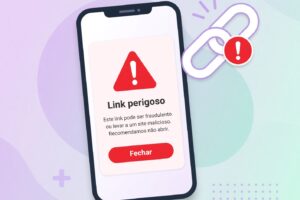
When in doubt, never click links inside unexpected messages. If you receive an alert saying there is an issue with your bank account, close the email, open a fresh browser window, type your bank’s official web address manually, and log in to check your account status directly.
Enable Multi-Factor Authentication (MFA) on Every Important Account
If you adopt only one security habit from this entire guide, make it this one. Multi-factor authentication (also known as two-factor authentication or 2FA) adds a vital second lock to your digital doors.
How Multi-Factor Authentication Works
Think about withdrawing cash from an ATM. You need your physical debit card (something you have) and your secret PIN (something you know). MFA brings this exact security concept to your online accounts. Even if a hacker manages to steal your password, they still cannot access your account because they don’t have your second factor.
The Different Types of MFA
- SMS Text Messages: A code is texted to your phone. (Better than nothing, though vulnerable to advanced carrier-swapping tricks).
- Authenticator Apps: Apps like Google Authenticator or Authy generate a fresh, temporary six-digit code every 30 seconds on your smartphone. This method is exceptionally secure because it doesn’t rely on cellular network signals.
- Security Keys: Physical hardware tokens (like a YubiKey) that you plug into your USB port or tap via NFC. This is the gold standard for ultimate digital security.
Turn on MFA today for your email providers, financial accounts, cloud storage, and social media profiles.
Keep Your Software and Operating Systems Updated
It is easy to click “Remind Me Tomorrow” when a software update notification pops up on your phone, laptop, or tablet. However, those updates are doing much more than changing menu designs or adding new emojis.
Why Software Updates Are Your Shield
Software developers discover security vulnerabilities—known as “zero-day flaws”—in operating systems, web browsers, and apps every single day. Cybercriminals hunt for these exact flaws to break into devices. When companies release an update or a “patch,” they are essentially locking the windows that hackers try to crawl through.
Automated Updates: Set It and Forget It
- Turn on automatic updates for your operating system (Windows, macOS, iOS, Android).
- Keep your web browsers (Chrome, Safari, Firefox, Edge) fully updated, as they are your primary gateway to the internet.
- Regularly update your smart home devices, routers, and mobile apps to ensure no outdated software leaves your network exposed.
Browse Wisely: Secure Connections and Safe Web Habits
The websites you visit and the networks you connect to play a massive role in keeping your data private. Understanding basic web indicators can help you spot dangerous sites instantly.
Look for HTTPS and Padlock Icons
When you look at your browser’s address bar, you should see https:// at the beginning of the web address, often accompanied by a small padlock icon.
- The “S” stands for Secure. It means the connection between your browser and the website is encrypted, protecting your usernames, passwords, and credit card numbers from being intercepted by anyone snooping on the network.
- Never type sensitive financial information or credit card numbers into websites that begin with plain
http://.
Navigating Public Wi-Fi Safely
Free public Wi-Fi at coffee shops, airports, hotels, and libraries is convenient, but open networks are inherently unencrypted and insecure. Anyone sitting nearby on the same network can potentially monitor your web traffic.
- Avoid logging into sensitive accounts, checking your bank balance, or making purchases while connected to public Wi-Fi unless you are using a trusted Virtual Private Network (VPN).
- Alternatively, use your smartphone’s cellular hotspot for a private, encrypted connection when working on your laptop in public places.
Protect Your Privacy on Social Media and Avoid Oversharing

Social media is designed to keep us connected, sharing vacation photos, birthdays, milestones, and daily thoughts. However, oversharing can unintentionally give scammers the precise information they need to target you.
What Scammers Learn from Your Public Profiles
- Security questions: Cybercriminals often mine public social media profiles to find answers to common account recovery questions—such as your mother’s maiden name, your high school mascot, the city you were born in, or the name of your first pet.
- Travel updates: Posting in real-time that you are on a two-week vacation in Europe tells burglars your house is currently empty.
- Personal milestones: Sharing your exact date of birth, home address, and phone number makes identity theft remarkably easy.
Best Practices for Social Media Privacy
- Lock down your privacy settings: Set your profiles to “Friends Only” rather than public.
- Audit your friends list: Regularly review who has access to your personal updates and photos.
- Think before you post: Ask yourself whether you would want a stranger knowing the information you are about to share.
Spotting Online Scams, Fake Shopping Sites, and Fraudulent Deals
The internet is packed with incredible bargains, but if an offer looks too good to be true, it almost certainly is. Fraudulent online shopping sites pop up daily, taking payment for products they never intend to ship or stealing credit card details.
Red Flags of Fraudulent Websites
- Absurdly low prices: If a brand-new, top-of-the-line smartphone or luxury handbag is being sold for 90% off retail price on an unknown website, it is a scam.
- Lack of contact information: Legitimate businesses provide clear customer service phone numbers, physical business addresses, and working email links.
- Poor grammar and spelling: Many fly-by-night scam sites feature awkward phrasing, broken English, and blurry product images stolen from legitimate retailers.
- Insecure payment methods: Be extremely cautious of websites that only accept payment via cryptocurrency, wire transfers, peer-to-peer cash apps, or untraceable gift cards. Always use a credit card when buying from unfamiliar online stores, as credit card companies offer robust fraud protection and chargeback rights.
Building Lasting Digital Habits for Lifelong Security
Online safety isn’t a one-time chore you check off a list; it is an ongoing mindset—much like locking your car door or buckling your seatbelt before driving. By building these simple, healthy digital routines into your everyday life, you create an invisible shield around your personal information, your finances, and your peace of mind.
Take it one step at a time. Update your passwords today, turn on multi-factor authentication for your primary email account tonight, and stay curious and cautious whenever something online feels rushed or suspicious. You’ve got this!