What to Do If Your Phone Is Lost or Stolen

Losing a smartphone is no longer just about replacing a piece of hardware. Modern phones hold your photos, banking apps, personal emails, password managers, and saved digital credentials. When your phone goes missing or gets stolen, protecting your personal identity and financial security becomes an immediate race against time.
Whether your device was misplaced at a restaurant or snatched in public, taking immediate and structured steps will minimize damage, protect your accounts, and give you the best chance of tracking or wiping your data safely. Follow this comprehensive step-by-step guide to secure your digital life right away.
Immediate Actions to Take Right After Your Phone Goes Missing

The first 30 minutes after realizing your phone is missing are critical. Before panicking, act quickly to secure your physical location and prevent unauthorized access to your active sessions.
- Try Calling Your Phone: Use a friend’s phone or a landline to call your device. If it was simply misplaced nearby, you may hear it ring or vibrate. If someone answers, arrange to meet in a safe, public place like a police station or a busy coffee shop. Never go alone to retrieve a lost device from a stranger.
- Check Recent Physical Locations: Think back to the last place you remember holding the device. Contact local businesses, rideshare drivers, or venue managers to check their lost and found departments.
- Lock Your Screen Remotely: If your phone is connected to cellular data or Wi-Fi, immediately log into your device management cloud dashboard from a computer or another smartphone to lock the display with a PIN or password.
How to Track and Secure an iPhone with Apple Find My
Apple provides built-in safety tools designed to locate, lock, and protect iOS devices even when they are offline or powered down on newer iOS versions.
- Open a web browser on any device and navigate to icloud.com/find or open the Find My app on another Apple product.
- Log in using your Apple ID and password.
- Select your missing iPhone from the list of registered devices.
- Review the map to see its real-time or last-known physical location.
- Click Mark As Lost (Lost Mode). This feature automatically locks your screen with a passcode, disables Apple Pay cards, and allows you to display a custom phone number and message on the lock screen for anyone who finds it.
Do not remove the device from your Apple account while searching. Removing the device disables Activation Lock, which makes it easier for a thief to erase and reuse your phone.
How to Locate and Remotely Wipe an Android Device
Android devices rely on Google Find My Device to trace lost hardware, secure user accounts, and erase local files remotely.
- Go to android.com/find on a secondary browser or log into the Find My Device app on another Android tablet or phone.
- Sign into the Google Account associated with the missing Android phone.
- Select your missing device at the top of the screen to view its current location on Google Maps.
- Choose Secure Device to log out of your Google Account on the phone while keeping location tracking active. You can also leave a phone number on the lock screen.
- If you determine the device cannot be recovered, select Erase Device. This initiates a full remote factory reset. Note that once wiped, Find My Device will no longer track the hardware location.
Contacting Your Cellular Carrier to Suspend Service and Block IMEI
Once initial security steps are active, reach out to your mobile service provider (such as Verizon, AT&T, T-Mobile, or local network operators) to report the loss.
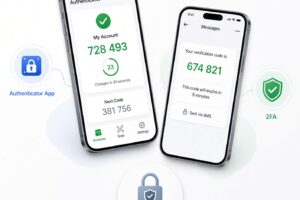
Carriers can freeze your SIM card or eSIM profile immediately. This stops unauthorized calls, standard SMS text messages, and mobile data usage. Disabling SMS access is essential because many online platforms send two-factor authentication (2FA) verification codes via text message, which thieves can use to reset your online banking or social media passwords.
Additionally, request that your carrier blacklist the phone’s unique IMEI (International Mobile Equipment Identity) number. Blacklisting prevents the physical device from connecting to cellular networks nationwide, rendering it useless for phone calls and mobile internet even if a thief inserts a new SIM card.
Safeguarding Your Online Accounts, Banking Apps, and Digital Wallets
After securing the physical hardware, turn your focus toward protecting the accounts linked to your device. Thieves often target digital payment platforms, stored credit cards, and logged-in apps.
- Notify Financial Institutions: Contact your bank and credit card issuers to report the loss. Ask them to suspend mobile wallet cards (Apple Pay, Google Wallet) and monitor your accounts for unauthorized charges.
- Revoke Active Sessions: Log into major online services—including email accounts, password managers, social media profiles, and cloud storage—from a desktop browser. Navigate to security settings and select “Log out of all devices” or remove your lost phone from the authorized device list.
- Change Essential Passwords: Update passwords starting with primary accounts: email, primary banking, password manager, and cloud storage accounts. Using strong, unique passwords ensures compromised local app data cannot grant access online.
- Update Two-Factor Authentication (2FA): If your 2FA rely on SMS codes sent to the lost phone, temporarily update your authentication methods to fallback backup codes, security keys, or an alternative phone number.
Filing a Official Police Report for Stolen Mobile Hardware

If you suspect your phone was stolen, filing a police report is an essential administrative step. While law enforcement may not immediately launch a search for missing electronics, an official police report is often mandatory for insurance claims and identity theft protection.
When filing the report, provide key identifying details:
- Device make, model, color, and storage capacity.
- The exact serial number and 15-digit IMEI number (found on the original box, receipt, or carrier account portal).
- The exact time, date, and location where the device went missing or was stolen.
- Any location data observed on Apple Find My or Google Find My Device. Never confront a thief yourself at a tracked location; share location screenshots directly with police officers.
Filing Mobile Insurance Claims and Requesting Replacement Hardware
If you have hardware protection or mobile insurance through your carrier, device manufacturer (such as AppleCare+ with Theft and Loss), or credit card benefit programs, submit a claim promptly.
Review policy requirements carefully before initiating a claim:
- Keep Find My active on Apple devices until the claim process specifically instructs you to clear the account, as removing it prematurely can void theft coverage.
- Be prepared to submit your police report reference number alongside claim documentation.
- Check deductibles and replacement delivery timeframes to get back online smoothly.
How to Prevent Phishing Scams Targeted at Lost Phone Victims
A common secondary threat after losing a device is targeted phishing. Thieves and organized cybercriminals frequently attempt to extract device passcodes or iCloud/Google credentials by tricking victims after the theft.
Be extremely cautious regarding incoming SMS messages or emails claiming to be from Apple Support, Google, Find My, or law enforcement stating your lost phone has been found. These messages often include fake tracking links designed to capture your login credentials.
Keep these rules in mind:
- Legitimate services like Apple or Google will never send a text message asking you to enter your cloud password to view a location.
- Never enter your Apple ID or Google credentials on links received via SMS. Always manually navigate to official web portals directly inside your browser.
- Ignore demands or threats sent via message to remove the device from your cloud account.
Essential Security Measures to Prepare Your Next Phone for Protection
Once you acquire a replacement phone, configure its security settings properly to ensure you are fully protected against future loss or theft.
- Enable Strong Screen Locks: Require a biometric lock (Face ID or fingerprint scanner) along with a strong 6-digit PIN or complex alphanumeric passcode. Avoid simple combinations like “0000” or “1234”.
- Turn On Tracking Tools Immediately: Ensure Apple Find My or Google Find My Device is toggled on during initial device setup. Enable offline finding features where supported.
- Automate Cloud Backups: Enable daily cloud backups for photos, system data, app info, and contacts via iCloud or Google One. Regular backups ensure seamless data restoration onto new hardware.
- Switch to Authenticator Apps: Replace SMS-based 2FA with authenticator apps (such as Google Authenticator, Authy, or 1Password) backed up securely online, preventing SIM swap or stolen SIM exploits.
- Secure Your Physical SIM: Set up a SIM PIN through your phone settings menu. This prevents anyone from pulling your physical SIM card out of your phone and using it in another device to receive your texts or calls.
Losing a mobile device is stressful, but taking prompt, systematic action protects your money, data, and digital identity. Lock down your hardware, secure your accounts, notify your carrier, and maintain caution against follow-up scams to keep your personal information fully safe.